You fix a bug on Monday. On Thursday, a different bug appears in a feature nobody touched. That is a regression, and it is one of the most common reasons a “finished” release goes wrong. Every change to code is a chance to break something that used to work.
Regression testing is how you catch those breaks before customers do. Here is what it is, the four ways teams run it, what to automate first and how to keep a regression suite useful instead of slow.
The short answer
What is regression testing?
Regression testing re-checks existing features after a change to confirm they still work. It is different from retesting, which only confirms that one specific bug is fixed. You need both: retest the fix, then run regression to make sure the fix did not break something else.
Watch
Watch: regression testing in 1 minute 14 seconds
Prefer to watch? Charlie the frog walks through regression testing in under a minute and a half. The full transcript is below the video.
Video transcript
Ribbit! I’m Charlie. You fix a bug on Monday. Then on Thursday, a different bug shows up in a feature nobody touched. That’s a regression.
A regression happens when a change breaks something that used to work. Regression testing re-checks those old features after every change.
It’s not the same as retesting. Retesting checks that one bug is fixed. Regression testing checks that the fix didn’t break anything else. You need both.
There are four ways to run it. Smoke tests on every build. Targeted tests after a change. Prioritized tests for login, signup and checkout. And a full run before release.
Automate the stable stuff first. Smoke tests, core flows, and past bugs. Keep people on new features, usability, and exploring.
And keep your suite healthy. Add a test for every bug you fix. Keep it fast. If it runs longer than 30 minutes, split it. Quarantine flaky tests until they’re fixed.
Want a hand? Visit charlietest.com and start a beta. I’m Charlie. Alpha. Beta. Charlie!
Regression testing vs retesting, smoke and sanity testing
Retesting
Checks that one reported bug is actually fixed. It follows the exact steps from the bug report. Good reports make this fast, which is why we wrote a bug report template.
Smoke testing
A quick check that a new build works at all: it launches, you can log in and the main screen loads. If the smoke test fails, nobody wastes time on deeper testing.
Sanity testing
A narrow check of one area after a small change, such as the search filters after a search fix. It is a quick look, not a full run.
Regression testing
A broader check that old features still work after any change. It is the safety net behind everything else.
Approaches
Four ways to run regression tests
Smoke tests on every build
Run a short set of checks on every build or pull request. Automate these first. They are fast, they are stable and they stop a broken build early.
Targeted regression after a change
Run only the tests related to the code that changed, plus the features that depend on it. This is quick and works well for small fixes.
Prioritized regression
Run the most important tests first: login, signup, checkout, and anything tied to revenue or compliance. If time runs out, the critical paths are already covered.
Full regression before release
Run the entire suite before a release, after a large merge or on a schedule such as nightly. Running everything after every commit is rarely practical, so save the full run for the moments that matter.
What to automate first
The best candidates for automation are tests you will run many times, on features that are stable, with a clear pass or fail. For regression that usually means:
- Smoke tests that run on every pull request
- Core flows such as signup, login and checkout
- API checks with a defined expected response
- Past bugs, so each one gets checked on every release
- Checks across many browsers, devices or data sets
Keep people on what scripts handle badly: new features that still change week to week, usability, and exploratory sessions. Our guide to manual vs automated testing explains the split, and our test automation team builds suites that run on every pull request.
How to keep a regression suite useful
Add a test for every bug you fix
When a bug is fixed, write a test that would have caught it. Over time the suite becomes a record of everything that has ever gone wrong, and old bugs have a hard time coming back.
Keep it fast
A suite that takes hours gets skipped. If it runs longer than about 30 minutes, split it into a fast smoke tier that runs on every change and a full tier that runs on a schedule.
Fix or quarantine flaky tests
A test that fails at random teaches the team to ignore failures. Move it out of the main run until it is fixed. Our guide to fixing flaky tests covers how.
Review it every release
Delete tests for features that no longer exist, update the ones that drifted and add coverage for whatever shipped. A suite nobody maintains slowly stops protecting you.
Example: a small change, an unexpected break
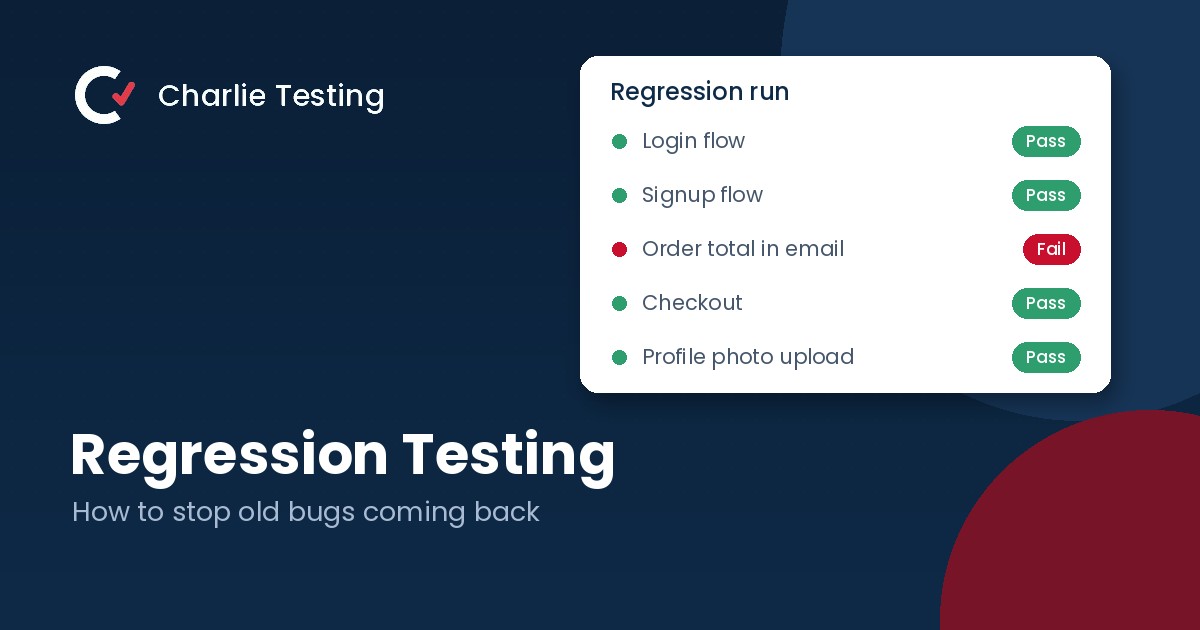
A team changes how discount codes are calculated. The retest confirms the new codes work. The regression run then fails on a different screen: the order total in the confirmation email is wrong, because it used the old calculation. No one touched the email, and nobody would have thought to check it by hand before launch. The automated checkout test caught it in minutes.
That is the value of regression testing. It finds the breaks you did not know to look for. Before a large release, pair it with real users: our beta testing checklist covers that stage.
Common regression testing mistakes
- Retesting the fix but skipping the regression run
- Running the full suite after every commit until nobody waits for it
- Automating features that are still changing every sprint
- Letting flaky tests stay in the main run
- Never deleting tests for features that no longer exist
FAQ
Regression testing questions
What is regression testing in simple terms?
It is re-checking features that already worked after a change, to make sure the change did not break them. Think of it as a safety net for existing behavior.
What is the difference between regression testing and retesting?
Retesting confirms that a specific bug is fixed by following its reproduction steps. Regression testing checks that the fix, or any other change, did not break other features.
How often should regression tests run?
Run a short smoke tier on every build or pull request, targeted tests after each change and the full suite before releases or on a schedule such as nightly.
Should regression testing be automated?
Mostly, yes. Stable, repeated checks with a clear pass or fail are ideal for automation. Keep manual and exploratory testing for new features, usability and anything that needs human judgment.
How big should a regression suite be?
Big enough to cover your critical paths and past bugs, small enough to run quickly. If it takes longer than about 30 minutes, split it into a fast tier and a scheduled full tier.
Want a regression suite that stays fast and reliable?
Tell us what you are shipping. A Charlie Testing lead will review your current tests and reply within one business day with what to automate first. Prefer to talk it through? Call (713) 555-0142.

- Why Short Video Belongs in Your Small Business Marketing - October 30, 2026
- Regression Testing: How to Stop Old Bugs Coming Back - October 16, 2026
- Alpha vs Beta Testing: What Each Catches and When to Run It - October 13, 2026