Android alone runs on thousands of device models, and new iPhones arrive every year. No team can test on all of them, so the real question in mobile app device testing is which handful of devices will catch the bugs your customers would hit. Get it right and a small set of phones covers most of your users. Get it wrong and you test ten phones that nobody using your app owns.
Here is the approach our test leads use to build a device list for each client, and the numbers we start from.
The short answer
How many devices should you test your app on?
For most US consumer apps, 8 to 12 real devices split across iOS and Android cover the large majority of users. B2B apps with a known customer base can often start smaller, and apps with a global audience usually need more, because the most popular Android brands vary a lot by region. The exact number matters less than how you choose the devices.
Start with your own device data, not a market report
Market share charts describe everyone’s phones. You need to know about your users’ phones. Pull device model, OS version and screen size from your analytics or crash reporting tool, then sort by active users. Most teams find that a short list of models accounts for most sessions and the long tail is spread thin.
If the app has not launched yet, use your website analytics as a stand in for the iOS and Android split, or collect device data during a beta. Our guide on how to recruit beta testers explains how to screen testers by device so your beta reflects your real audience.
Edge cases
Cover the five corners of your device list
Popular devices catch common bugs. Edge devices catch the embarrassing ones. Make sure your list includes:
The oldest OS version you support
Deprecated features, permission prompts and layout changes break here first. If your store listing claims support for an OS version, someone should be testing on it.
The smallest screen
Buttons slide under the keyboard, text gets cut off and bottom sheets overlap. A compact phone shows layout problems a large one hides.
A low memory, low cost Android phone
Budget devices with limited RAM close background apps aggressively and expose slow startup, heavy image screens and memory leaks. They are also common among real customers, even when the product team carries flagships.
The most popular device in your data
Whatever tops your analytics list should be tested on every build, because a bug there reaches the most people.
The newest flagship and newest OS
New hardware and OS releases change things like screen cutouts, gesture navigation and privacy prompts. Test on the public beta of each new OS version before it ships to everyone.
Device matrix
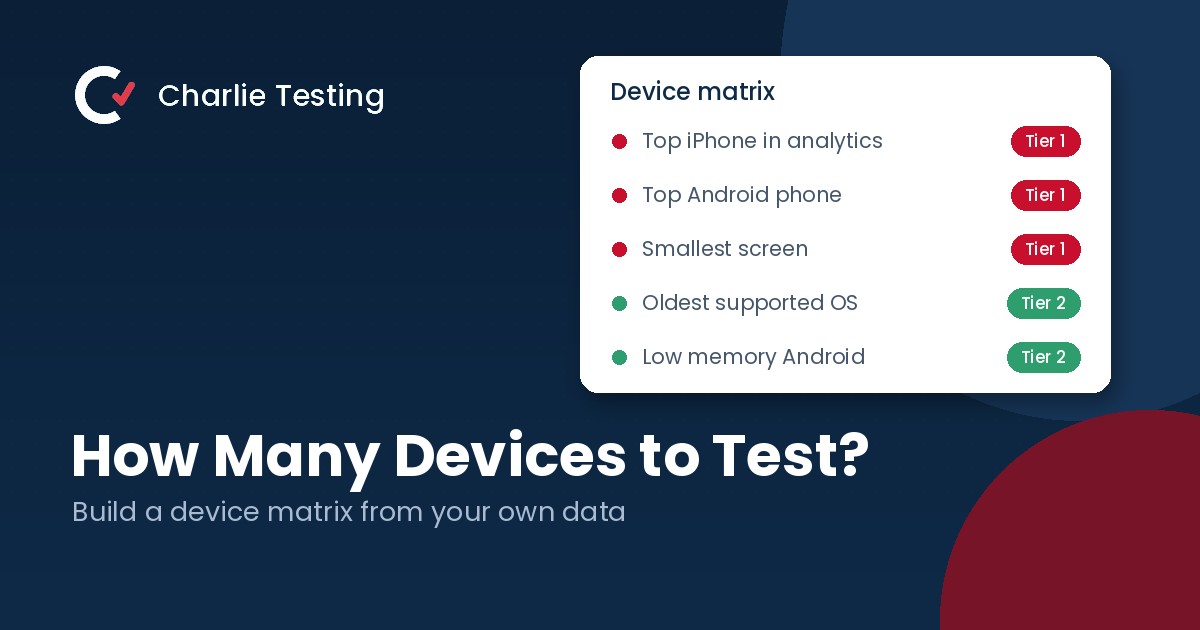
Build a three tier device matrix
Not every device needs every test. Splitting the list into tiers keeps coverage high without testing everything everywhere.
Tier 1: every build (3 to 4 devices)
Your top iOS and Android devices plus one small screen. Smoke tests and new features run here constantly, often through test automation on every pull request.
Tier 2: every release (4 to 6 more devices)
Fill in the five corners: the oldest supported OS, the low memory Android phone, a tablet if you support one and a second Android manufacturer. Run a full regression pass here before each release.
Tier 3: before major launches (the rest)
Less common models, other manufacturers, devices popular in other regions and accessibility setups such as large text and screen readers. This tier is where a broad beta or a managed device lab earns its keep, along with hands on accessibility testing.
Review the matrix every quarter. Drop models your users have stopped using and add any that climb into your top list.
Real devices vs emulators
Emulators and simulators are fast, free and useful for development and early automated checks. They are not a substitute for real hardware before release, because they smooth over the problems customers actually hit:
- Real performance on slower processors and limited memory
- Camera, GPS, Bluetooth, biometrics and push notifications
- Manufacturer changes to Android, such as battery savers that stop background tasks
- Touch accuracy, gestures and how the app feels in a hand
- Weak or switching network connections, overheating and low battery
A practical split is emulators and cloud device farms for broad automated coverage, and real devices in hand for manual and exploratory testing. That is why our manual QA testing runs on 38 real phones, tablets and desktops in our Houston lab. For more on dividing the work, see manual vs automated testing.
Do not forget web browsers
If you also ship a web app, apply the same thinking to browsers: Chrome, Safari on iPhone, Safari on Mac, Edge and Firefox, weighted by your analytics. Give Safari on iPhone extra attention. Most browsers on iPhone run on Apple’s WebKit engine, so a WebKit bug can show up in Chrome on iPhone too.
FAQ
Mobile app device testing questions
How many devices do I need to test a mobile app?
For most US consumer apps, 8 to 12 real devices across iOS and Android is a solid core, chosen from your own analytics. B2B apps with a known customer base can start smaller, and global apps usually need more.
Is testing on emulators enough?
Emulators are useful for early development and automated checks. Before release, test on real devices, because emulators do not reproduce real performance, hardware sensors, manufacturer changes to Android or real network conditions.
Which Android devices should I test on?
Start with the top models in your analytics, then add a low memory budget phone, the oldest Android version you support and at least two or three manufacturers, since each brand customizes Android differently.
How often should we update our device list?
Review it every quarter and whenever a major iOS or Android version ships. Drop devices your users no longer use and add any that move into your top list.
Should we buy our own devices or use a testing partner?
Owning your Tier 1 devices is worth it. For the wider matrix, buying and maintaining dozens of phones gets expensive quickly, so many teams use a cloud device farm for automation and a testing partner with a physical lab for manual testing.
Need more devices than your team owns?
Our lab has 38 real devices, and our panel of more than 1,200 vetted beta testers adds the phones your customers actually carry. Tell us what you are shipping and a test lead will recommend a device matrix within one business day, or call (713) 555-0142.

- Why Short Video Belongs in Your Small Business Marketing - October 30, 2026
- Regression Testing: How to Stop Old Bugs Coming Back - October 16, 2026
- Alpha vs Beta Testing: What Each Catches and When to Run It - October 13, 2026