Every vague bug report costs a round trip. The developer cannot reproduce it, asks a question, waits a day for the answer and fixes something else in the meantime. Multiply that by fifty reports in a beta and a release slips by a week.
A good bug report does one job: it lets someone who was not there see the problem for themselves. Our testers follow the same structure on every report, and it is a big reason 96 percent of the bugs we file are reproduced on the first try. Here is that structure, a template you can copy and an example of the same report before and after.
The anatomy
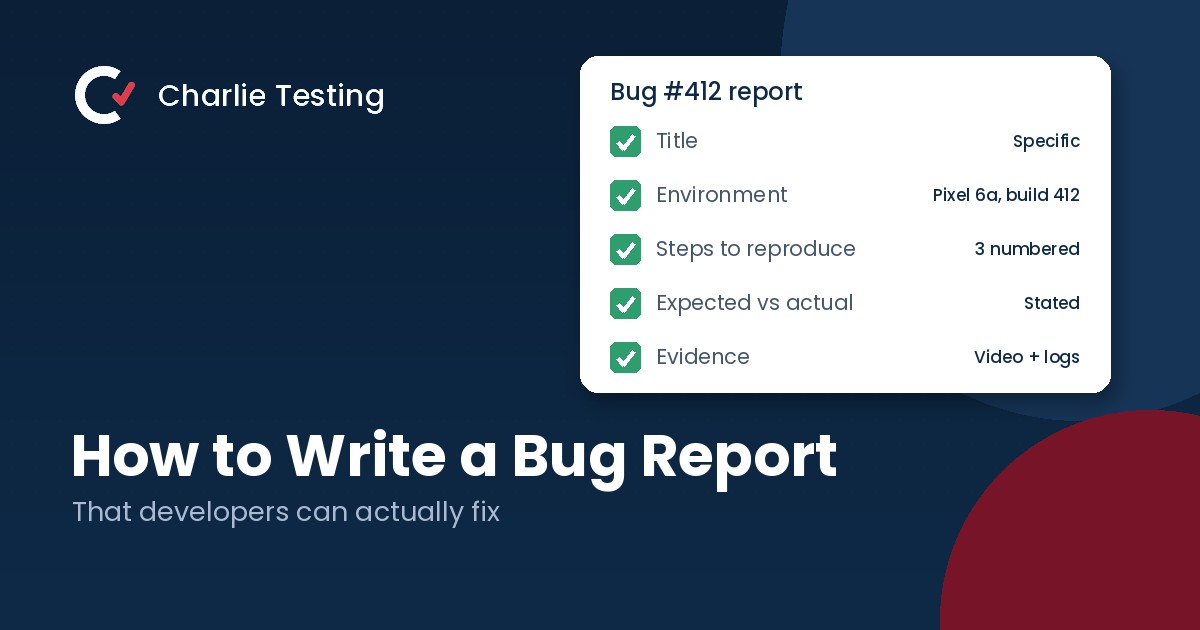
What a good bug report includes
Write a specific title
Use a simple formula: what broke, where, and under what condition. “Checkout button does nothing on iPhone 12 when a promo code is applied” beats “Checkout broken” every time. A specific title also makes duplicate reports easy to spot.
List the environment
Include the device model, OS version, browser and version, app build number, account type and network. Plenty of bugs only happen on one build or one device, and this line is often the whole clue.
Number the steps to reproduce
Start from a known state, such as logged out with an empty cart, and number every step. Name the exact button and the exact values you typed. If a step feels too obvious to write down, write it down anyway.
State the expected result
Say what should have happened in one sentence. This line matters more than people think, because sometimes the “bug” is a misunderstanding of how the feature is meant to work, and the expected result surfaces that right away.
Describe the actual result
Say what happened instead, including the exact text of any error message. Copy and paste the error rather than paraphrasing it.
Note how often it happens
Is it every time, or 3 out of 10 attempts? Intermittent bugs are still worth reporting, but the developer needs to know not to give up after one clean run.
Attach evidence
Add a screenshot for visual problems and a short screen recording for anything that involves motion or a sequence of steps. Include logs when you can get them: the browser console and network tab for web apps, Logcat for Android and the Console app on a Mac for iOS devices. Every report our testers file includes a recording, because ten seconds of video ends most debates.
Set the severity
Rate how badly the bug affects users on the scale your team agreed on, for example critical, major, minor and cosmetic. Leave priority to the product owner. Severity describes impact; priority describes when it gets fixed.
Template
A bug report template you can copy
Title: [What broke] [where] when [condition]
Environment: device, OS version, browser or app build, account type, network
Steps to reproduce: 1. … 2. … 3. …
Expected result: what should happen
Actual result: what happened, with the exact error text
Frequency: always, or X of Y attempts
Evidence: screenshot, screen recording, logs
Severity: critical, major, minor or cosmetic
Notes: workarounds, what you already tried, when it started
Before and after: the same bug reported two ways
Before
“The app crashes when I upload a photo. Please fix ASAP.”
The developer has no device, no build, no photo details and no steps. They upload a photo on their own phone, it works, and the ticket is closed as “cannot reproduce.”
After
Title: App crashes when uploading a HEIC photo larger than 10 MB from the gallery
Environment: Pixel 6a, Android 14, app build 3.2.0 (412), Wi-Fi
Steps: 1. Log in as a standard user. 2. Open Profile and tap Change photo. 3. Choose Gallery and select a HEIC photo of about 12 MB.
Expected: The photo uploads and appears as the profile picture.
Actual: The app closes with no error message. JPEG files of the same size upload fine.
Frequency: 5 of 5 attempts
Evidence: 14 second screen recording and Logcat output attached
Severity: Major
The second version took the tester a few extra minutes. It saves the developer an afternoon, and the detail about JPEG files working points straight at the cause.
Common bug report mistakes
- Putting several bugs in one report, so it can never be closed cleanly
- Writing "it doesn't work" instead of describing what happened
- Leaving out the build number, so nobody knows if the bug is already fixed
- Describing a screenshot instead of attaching it
- Mixing feature requests into bug reports
- Writing the report from memory hours later instead of right away
Getting better bug reports from beta testers
Testers outside your team will not follow a template unless you make it easy. Build the template into a form with required fields for device, build and steps, and pre-fill the build number when you can. Then have someone reproduce, deduplicate and tidy each report before it reaches developers. That triage step is part of our beta testing checklist, and finding testers who write useful reports in the first place is covered in how to recruit beta testers.
If you would rather skip triage entirely, our beta program management service sends only verified, reproducible bugs into Jira, Linear or GitHub.
FAQ
Bug report questions
What are the essential parts of a bug report?
A specific title, the environment, numbered steps to reproduce, the expected result, the actual result, how often it happens, evidence such as a screenshot, recording or logs, and a severity rating.
How long should a bug report be?
As short as it can be while still letting someone else reproduce the bug. Most good reports take two to five minutes to write. If yours is getting long, check whether you are describing more than one bug.
What is the difference between severity and priority?
Severity is how badly the bug affects users, such as data loss versus a typo. Priority is how soon the team will fix it. A typo on the pricing page can be low severity but high priority.
What should I do if I cannot reproduce a bug?
Report it anyway. Mark the frequency as 1 of however many attempts you made, include everything you remember and any logs captured at the time, and note what you have already tried. Intermittent bugs are often the serious ones.
Should a bug report include a video?
For anything involving a sequence of steps or motion, yes. A short screen recording removes almost all ambiguity, and most phones and browsers can record the screen without extra tools.
Want bug reports your developers trust?
Our testers file every bug with clear steps, the exact device and build, logs and a short screen recording. Tell us what you are shipping and a test lead will reply within one business day, or call (713) 555-0142.

- Why Short Video Belongs in Your Small Business Marketing - October 30, 2026
- Regression Testing: How to Stop Old Bugs Coming Back - October 16, 2026
- Alpha vs Beta Testing: What Each Catches and When to Run It - October 13, 2026