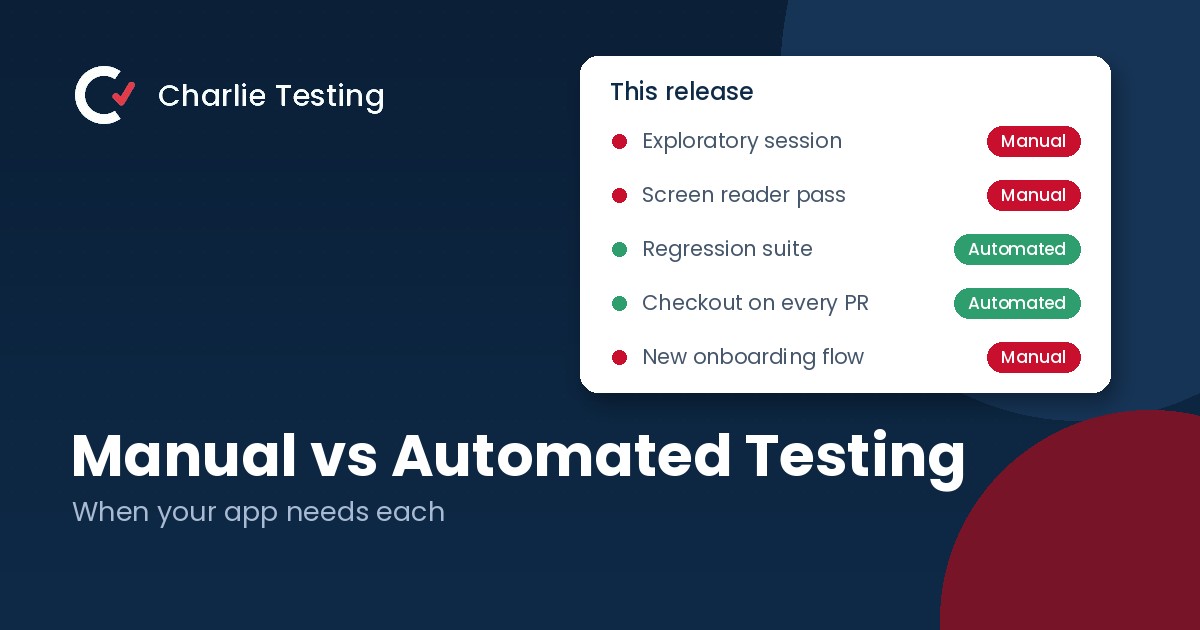
Teams usually ask the manual vs automated testing question at the wrong moment: right after a bad release, when someone suggests automating everything so it never happens again. Automation would not have caught most of those bugs. A person would have.
The better question is which tests belong to people and which belong to scripts. Here is how we split the work for the teams we test for, and the simple rule we use to decide.
The short answer
Manual vs automated testing at a glance
Manual testing is best for
- New features that still change week to week
- Usability and "does this make sense" questions
- Exploratory testing for bugs nobody predicted
- Real devices, screen readers and messy real world conditions
- Visual polish, layout and copy
Automated testing is best for
- Regression checks on flows that already work
- Checks that run on every pull request
- The same test across many browsers, devices or data sets
- Load and performance testing
- API and backend logic with a clear expected result
What manual testing catches that automation misses
A script only checks what it was told to check. If the checkout button works but sits behind the keyboard on a small Android phone, the test passes. A person sees the problem in five seconds.
Confusing flows
Automation can confirm that a signup form submits. It cannot tell you that new users keep typing their company name into the wrong field because the label is unclear.
Bugs nobody predicted
Experienced testers follow hunches. What happens if I go back in the middle of a payment, rotate the phone or paste an emoji into the name field? These unscripted paths find a large share of the bugs that would otherwise reach production.
Accessibility in practice
Automated scanners catch missing alt text and low contrast, but not whether a screen reader user can actually finish a purchase. That takes a person using VoiceOver or TalkBack, which is why accessibility testing always includes hands on sessions.
Real devices and real conditions
Weak signal, an old OS version, low storage, a 400 row import. Emulators smooth over exactly these problems, so our manual QA testing runs on 38 real phones, tablets and desktops. Not sure which devices to start with? See how many devices to test your app on.
What automated testing does better than people
People are bad at repeating the same 200 steps every release with full attention. Scripts never get bored, and they never skip a step because it passed last time.
Regression on every change
Once a flow works, a test should guard it from then on. Running the suite on every pull request means a broken login is caught in minutes, before the code merges, instead of days later by a customer.
Scale and combinations
Checking one form across 6 browsers, 3 languages and 10 data sets is 180 runs. That is a job for a machine, and it finishes before a person would get through the first browser.
Fast feedback for developers
A good automated suite returns results in minutes. Fast feedback changes how developers work, because they fix problems while the code is still fresh in their heads.
Automation does have a cost. Tests need maintenance, and an unreliable suite is worse than none because people learn to ignore it. If your suite fails at random, read our guide to fixing flaky tests before writing more of them.
Decision rule
A three question rule for what to automate
For any test case, ask three questions:
- Will we run it more than a few times? Tests that run every release or every pull request pay back the effort of writing them. A one time check does not.
- Is the feature stable? If the design or flow still changes week to week, the test will break as often as the feature does. Test it by hand until it settles.
- Is there a clear pass or fail? “The order total equals $42.10” is automatable. “The checkout feels trustworthy” is not.
Three yeses: automate it. Any no: keep it manual for now and ask again next quarter. This rule keeps teams out of the two most common traps, automating a feature that changes next sprint and manually retesting the same login screen for the hundredth time.
How most teams split manual and automated testing
There is no perfect ratio, but the pattern that works is consistent. Automation owns the regression layer: unit tests, API tests and a small set of end to end tests covering the flows that make money, like signup, login and checkout. People own everything new, everything visual and everything that needs judgment, plus exploratory sessions before each major release. Our guide to regression testing shows which checks to automate first.
Example: a redesigned onboarding flow
A team ships a new onboarding flow. In week one, testers work it by hand on real devices because the screens are still changing, and their bug reports drive the fixes. Once the design is final, the core path (create an account, verify the email, pick a plan) becomes an automated end to end test that runs on every pull request. The edge cases testers found, like an expired verification link, become automated tests too. From then on, people spend their time on the next new feature instead of rechecking this one.
Before a big launch, add real users on top of both layers. A beta test shows how the product holds up with customers’ own devices, data and habits. Our beta testing checklist covers how to run one.
Signs your testing mix is off
- Releases keep breaking features that used to work: you need more automated regression
- The automated suite is green but customers still report obvious UX problems: you need more manual and exploratory testing
- Developers ignore failing tests: your suite is flaky or too slow
- QA is the bottleneck before every release: too much repeat checking is still manual
- Nobody has tested with a screen reader: you are missing accessibility coverage
FAQ
Manual vs automated testing questions
Can automated testing replace manual testing?
No. Automation is excellent at confirming that known behavior still works, but it cannot judge usability, explore unexpected paths or notice that something looks wrong. Most teams need both.
What should we automate first?
Start with the flows that would cost the most if they broke: login, signup, checkout or payment and your core feature. Then add API tests for business logic. Leave screens that are still changing manual until they settle.
Is manual testing cheaper than automated testing?
For a one time check, yes. For anything repeated every release, automation usually becomes cheaper after a handful of runs, as long as the tests are well maintained.
How much of our testing should be automated?
Avoid chasing a percentage. Automate what passes the three question rule (repeated, stable, clear pass or fail) and keep people on new features, usability and exploratory work.
Do we need an in house QA team to do both?
Not necessarily. Many startups pair their developers’ unit tests with an outside team for manual QA and test automation. About half of our clients are startups that need a QA team without hiring one.
Not sure where your testing gaps are?
Tell us what you are shipping. Within one business day, a Charlie Testing lead will review your current tests and recommend what to automate, what to keep manual and what it will cost. Prefer to talk it through? Call (713) 555-0142.

- Why Short Video Belongs in Your Small Business Marketing - October 30, 2026
- Regression Testing: How to Stop Old Bugs Coming Back - October 16, 2026
- Alpha vs Beta Testing: What Each Catches and When to Run It - October 13, 2026