Most beta tests do not fall apart because of the testers. They fall apart because a step got skipped before the first invite went out. The build crashed on install, nobody knew where to send bugs, or no one had agreed on what “ready to launch” meant.
This beta testing checklist covers the 12 steps our test leads confirm on every program, grouped by when you need them: before testers arrive, while the beta is running and before you call it done. Copy it into your launch doc and check items off as you go. New to the stages? See alpha vs beta testing first.
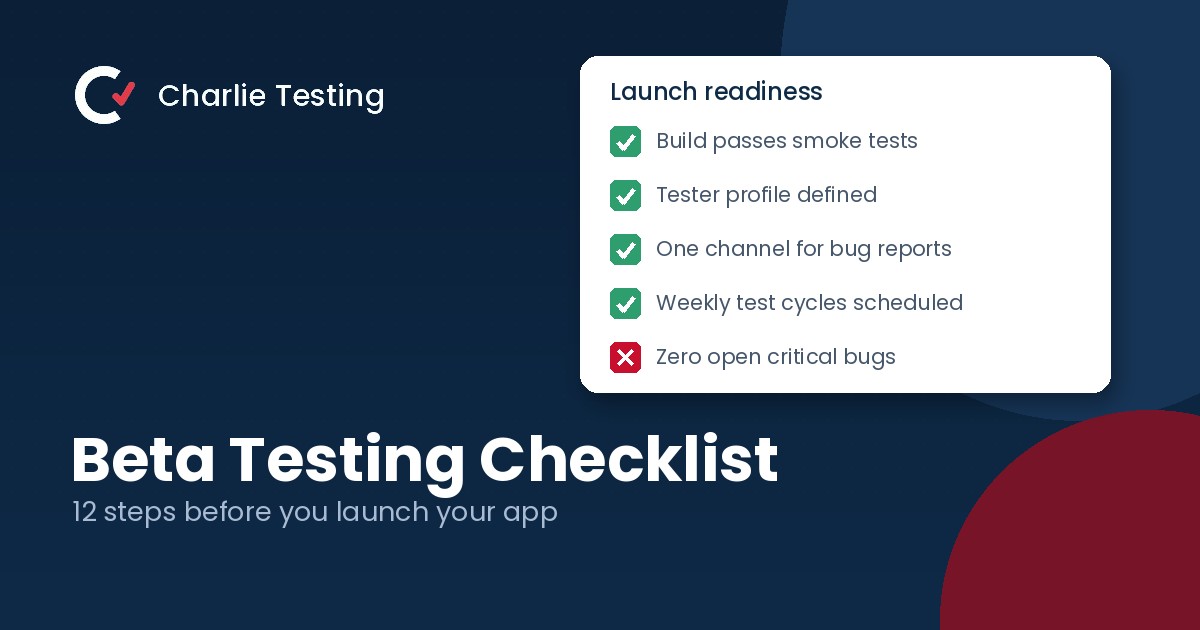
The beta testing checklist at a glance
- Confirm the build is ready for beta
- Write a one page test plan
- Define your tester profile and headcount
- Set up distribution, accounts and test data
- Pick one place for bug reports
- Agree on severity levels and name an owner
- Onboard testers with a short brief
- Run structured weekly test cycles
- Reproduce and deduplicate before developers see anything
- Watch the data, not only the reports
- Retest fixes and run a regression pass
- Check your exit criteria and close the loop
Phase 1
Before you invite a single tester
Confirm the build is ready for beta
A beta is the wrong place to discover the app will not install. Before testers see it, the flows in scope should be feature complete, your smoke tests should pass and the build should survive both a clean install and an upgrade from the last version.
Spend an hour on two or three real devices, including one older phone, before you ship it to anyone outside the team. If you do not have the hardware, a manual QA testing pass across the 38 real devices in our Houston lab catches the embarrassing problems that would otherwise burn a tester’s first day.
Write a one page test plan
State the goal of the beta in one sentence, list the flows in scope and out of scope, set the dates and write down your exit criteria. It does not need to be long, but it does need to exist before testing starts. Our guide on how to write a beta test plan walks through the seven sections we use.
Define your tester profile and headcount
Describe who should test by role, experience level, devices and location. For most apps, 50 to 100 active testers will surface the majority of real world issues. Recruit about a third more than you need, because 20 to 40 percent of testers usually go quiet.
If your customers include people who use screen readers or navigate by keyboard, recruit some of them too. They find problems no one else will, and accessibility testing is far cheaper before launch than after. For sourcing and screening tips, see how to recruit beta testers, or draw from our panel of more than 1,200 vetted beta testers.
Set up distribution, accounts and test data
Decide how testers will get the build: TestFlight for iOS, Google Play internal or closed testing for Android, or a protected staging link for web apps. Create test accounts ahead of time and seed them with realistic data. A workspace with 400 contacts behaves very differently from one with three.
Then install the build yourself, from scratch, through the exact path testers will use. Broken invite links are one of the most common day one failures.
Pick one place for bug reports
Choose a single channel for bugs and a separate one for general feedback, and do not accept reports anywhere else. A short form with required fields for device, OS version, build number, steps to reproduce and a screenshot or screen recording turns “it is broken” into a ticket a developer can fix. Our guide on how to write a bug report includes a template you can drop into that form.
Send those reports straight into the tracker your developers already use, whether that is Jira, Linear or GitHub, so nothing lives in a spreadsheet nobody opens.
Agree on severity levels and name an owner
Define critical, major, minor and cosmetic before the first report lands. A common scale: critical means data loss, a security issue or a blocked core flow; major means a core flow works with significant friction; minor and cosmetic cover the rest.
Then name one person who triages every report within one business day. Without an owner, reports pile up, testers feel ignored and they stop sending them.
Phase 2
While the beta is running
Onboard testers with a short brief
Send a one page welcome that covers what the product does, what you want testers to try this week, how to report a bug, the schedule and what they get for taking part. Keep any NDA short. Every extra step between a tester and their first report costs you participants.
Run structured weekly test cycles
“Try the app and tell us what you think” produces vague feedback. Give each cycle three to five specific tasks with a deadline instead. A common rhythm is install and onboarding in week one, core workflows in week two and edge cases plus fix retesting in week three.
Reproduce and deduplicate before developers see anything
Raw tester feedback is noisy. Someone on your side should reproduce each bug, merge duplicates, attach logs and confirm the device and build before it reaches the backlog. This filtering step is what keeps developers trusting the beta. Our test leads reproduce 96 percent of reported bugs on the first try, which is why each one arrives with clear steps, logs and a short screen recording.
Watch the data, not only the reports
Testers report what they notice. Crash reporting, analytics and session data show what they do not, like a settings screen most people abandon or a crash that only happens on older Android versions. Compare the numbers with the written feedback every week, and flag a risky release on day two, not in the final report.
Phase 3
Before you call it done
Retest fixes and run a regression pass
Every fix shipped during the beta needs a retest on the device where the bug was found, plus a regression pass on your core flows. Late fixes are where new bugs come from. Test automation that runs on every pull request makes this step faster and far less painful in the final week. Not sure which checks to hand to scripts? See manual vs automated testing.
Check your exit criteria and close the loop
Compare where you landed with the exit criteria in your plan. For example: zero open critical bugs, no more than three open major bugs and an average ease of use score of at least 4 out of 5. If you hit them, ship. If not, decide what moves to the next release in writing.
Finally, send testers a closing survey and a short note about what you fixed because of them. Teams that close the loop find recruiting for the next beta much easier.
Common beta testing mistakes to avoid
- Starting the beta with a build that has known blockers
- Inviting testers who do not resemble your customers
- Accepting bug reports in email, chat and DMs at the same time
- Running an open ended beta with no end date
- Treating tester silence as approval
FAQ
Beta testing checklist questions
How long should a beta test run?
Most beta tests run three to four weeks, including about a week to recruit and onboard testers. A small update can be covered in one or two weekly cycles. Betas that run much longer tend to lose testers faster than they find new issues.
When is an app ready for beta testing?
An app is ready for beta when the flows in scope are feature complete, the build installs and upgrades cleanly and internal smoke tests pass. Known issues are fine, as long as you list them so testers do not spend time reporting them.
What is the difference between alpha and beta testing?
Alpha testing is done by your own team or a small trusted group, usually on an unfinished build. Beta testing puts a near final build in the hands of outside users who resemble your customers, on their own devices and networks.
How many beta testers do I need?
For most apps, 50 to 100 active testers is enough. Recruit about a third more to cover drop off. Products with a wide device spread or several user roles may need more.
Can we run a beta test without an in house QA team?
Yes, but someone has to own triage and follow up. About half of our clients are startups that use beta program management instead of hiring a QA team, and we usually have testers working a build within 72 hours of kickoff.
Want a test lead to run this checklist for you?
Send us your release date and platforms. A Charlie Testing lead will reply within one business day with a written test plan, a tester profile and a fixed quote. Prefer to talk it through? Call (713) 555-0142.

- Why Short Video Belongs in Your Small Business Marketing - October 30, 2026
- Regression Testing: How to Stop Old Bugs Coming Back - October 16, 2026
- Alpha vs Beta Testing: What Each Catches and When to Run It - October 13, 2026